
Shopping Cart
In addition to listing products, TechoERP also allows selling them via the Shopping Cart.
To enable Shopping Cart, go to:
E Commerce Settings > Shopping Cart
You can even build a landing page for your store at a custom route (eg. /store).
1. Item Types
Shopping Cart works differently for Items with and without variants.
1.1 Items without variants
Items without variants have their dedicated product page and an Add to Cart button.
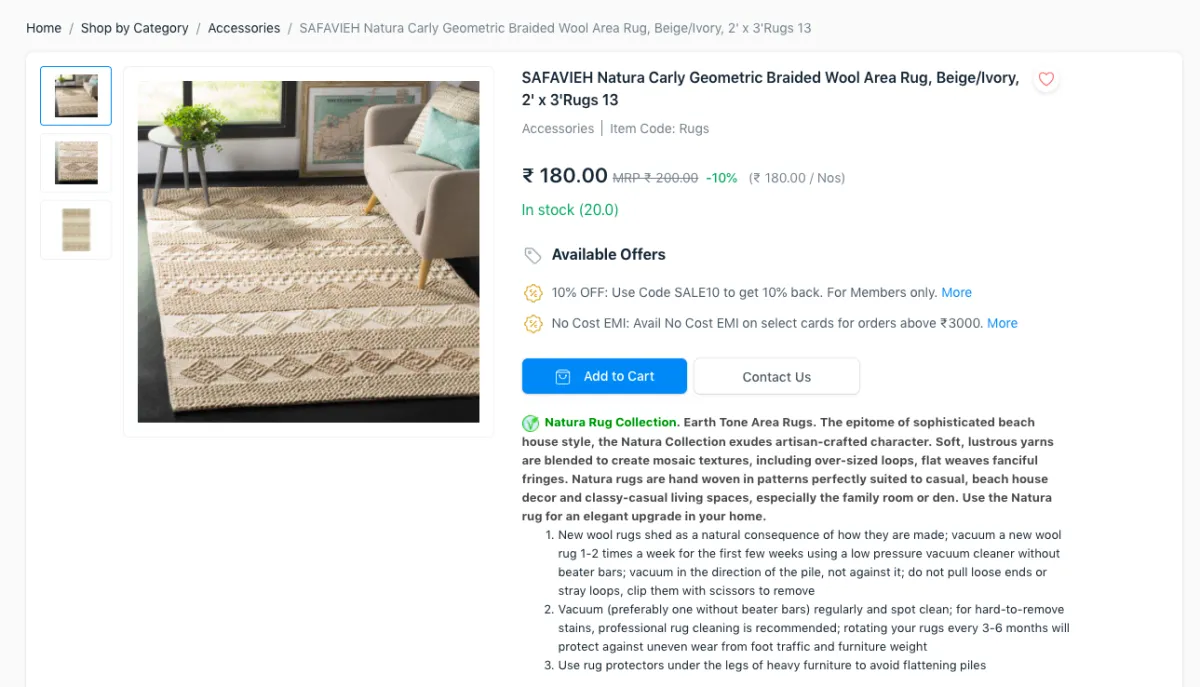
Item without Variants
1.2 Items with variants
Since Item Templates can't be bought directly, there is a Configure button to
choose the specific variant and add it to cart.
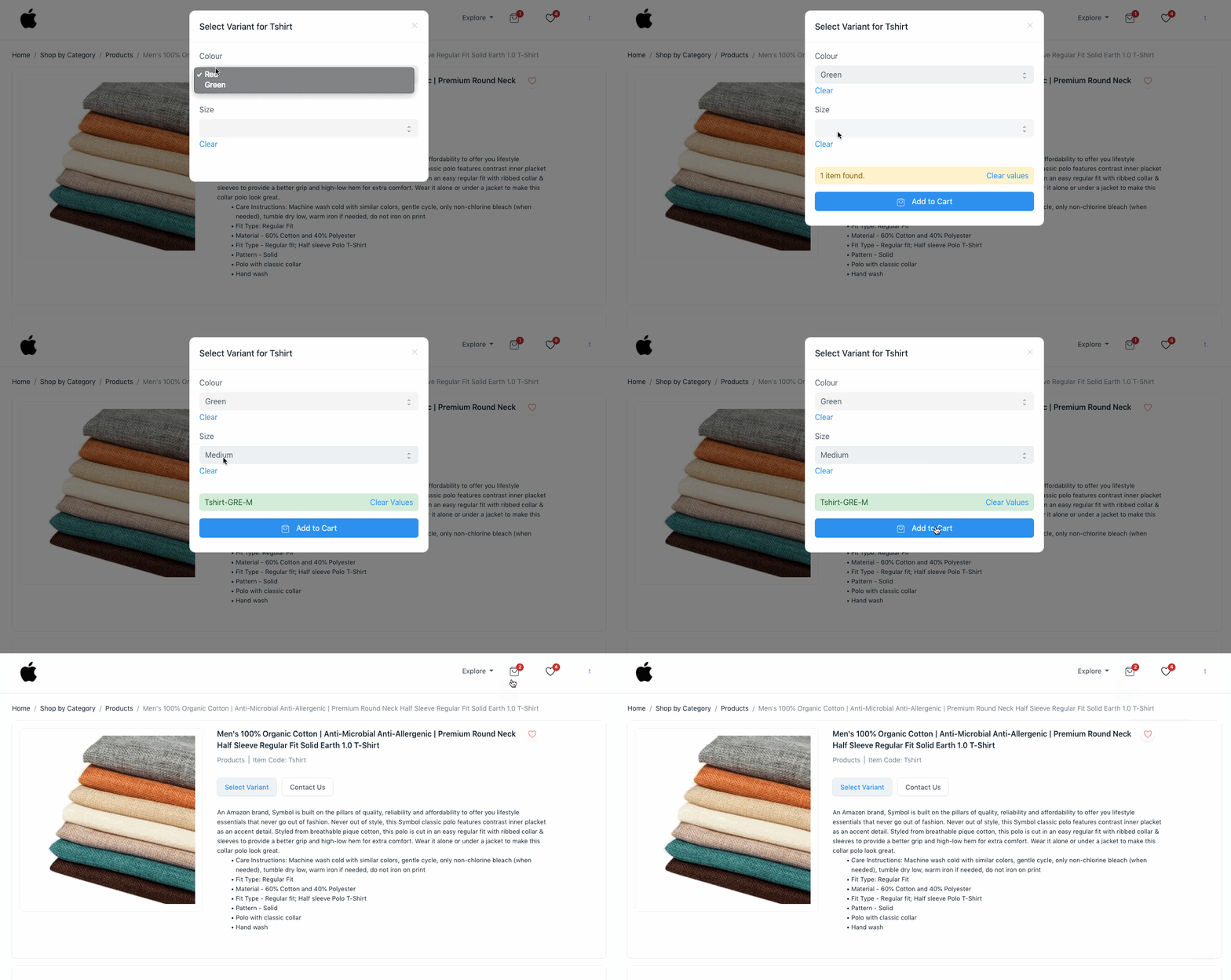
Item with Variants
2. Cart Quotation
If checkout is disabled, when your customers add an item to cart, they can click
on the Request for Quotation button to get a quote for it. A Quotation
is generated in the system.
3. Cart Checkout
You can enable checkout from the Checkout Settings section in E Commerce Settings.
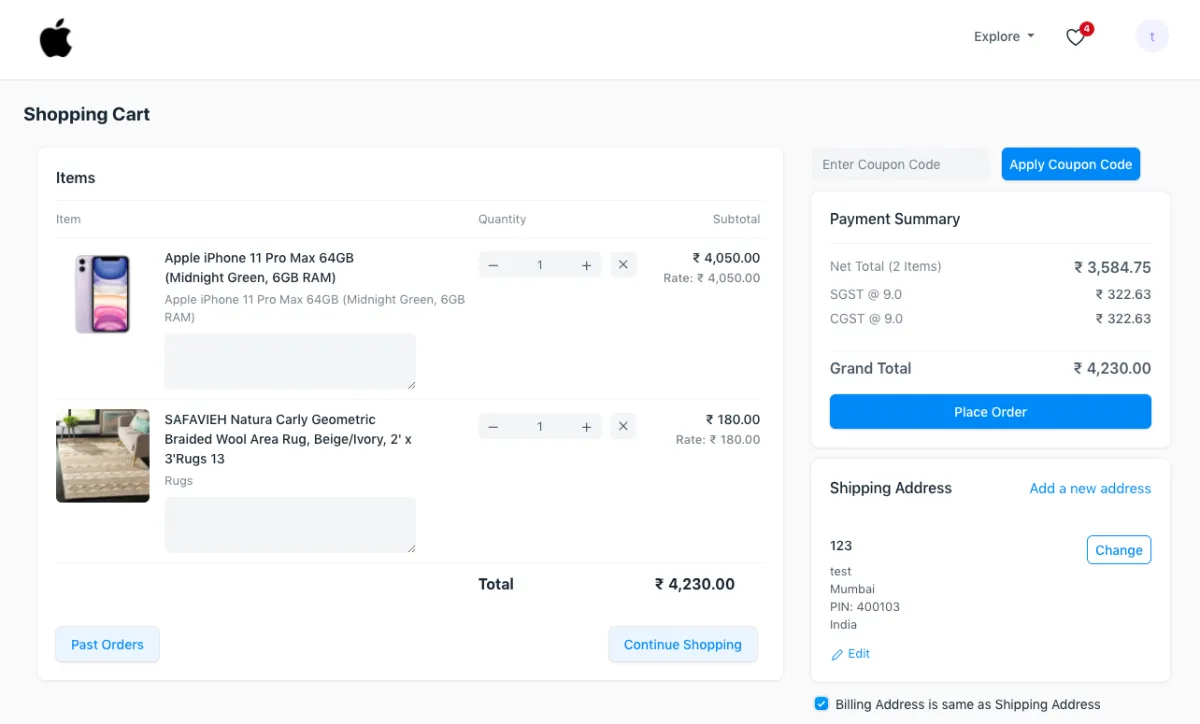
Cart Checkout